The catalogue
What is a CSSBuy spreadsheet
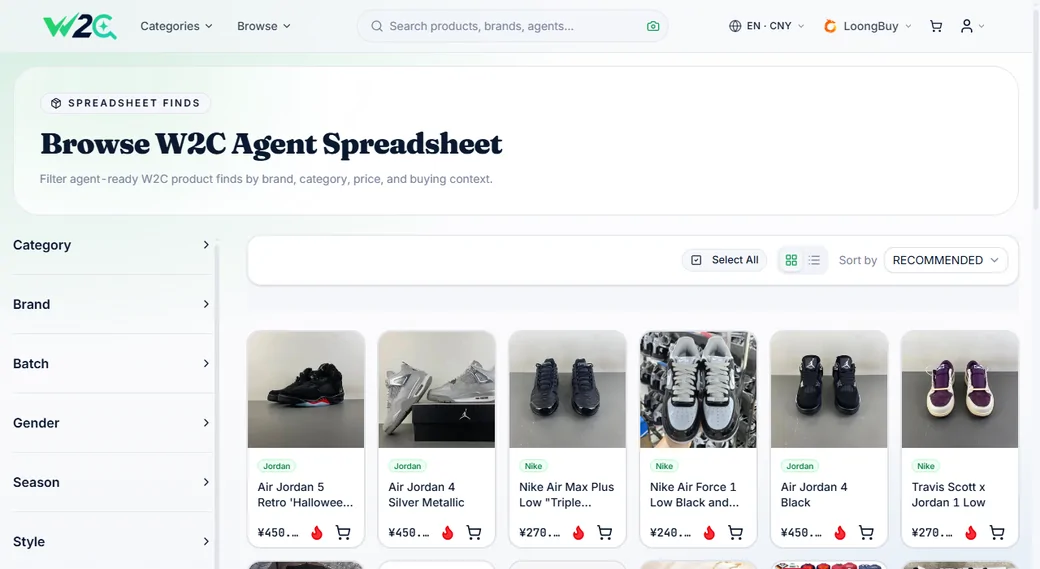
A curated shopping catalogue. Someone has gone through Taobao, 1688 and Weidian, kept the items that sell well and review well, and put each one on a card carrying QC photos, a price and buyer feedback. Alongside the products sit guides on choosing an agent and the shopping experience other people already paid to learn. The purpose is narrow: less time hunting, less money wasted, a better item, and a better agent to buy it through.
What sits on a card, and why each piece is there
Three things separate a curated card from a raw marketplace search result. Each one exists to answer a question you would otherwise have to answer with your own money.
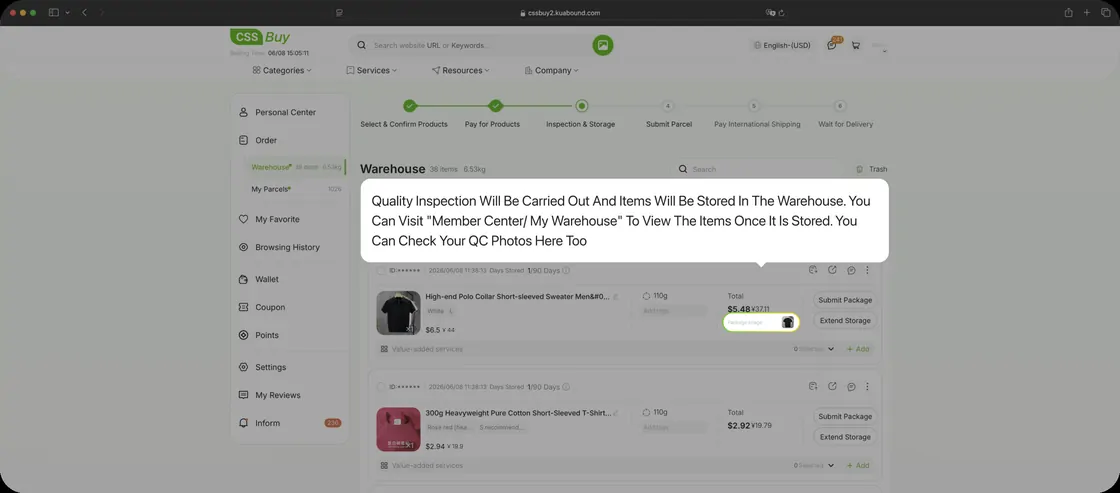
QC photos
Pictures of the actual product as it arrived at a warehouse, not the seller's studio shot. This is the single most useful thing on a card, because it is the only image nobody was paid to make flattering.
The price
What the item was going for when it was recorded. It tells you which bracket you are in and whether a listing is suspiciously cheap. It is a reference point, not a quote, because sellers move prices constantly.
Buyer feedback
What people said after receiving it. Sizing runs small, the stitching held, the colour is darker than the photo. The kind of detail a product description will never volunteer.
And the agent link
One click opens the item inside CSSBuy with the identifier intact, so there is no copying, no trimmed URL and no failed search.
Where the picks come from
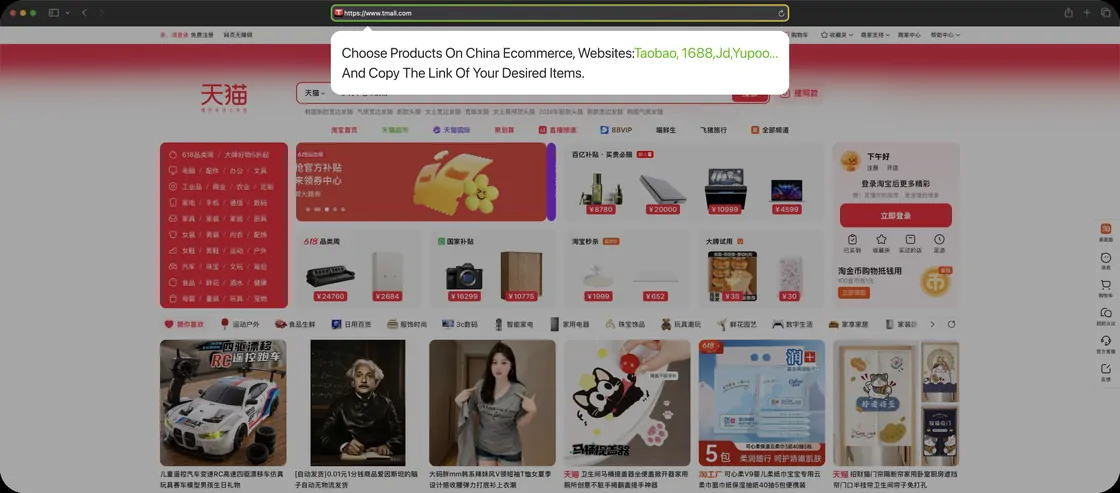
Taobao is the consumer marketplace: the widest selection, single units, and the place most listings originate. 1688 is the wholesale tier behind it, often the same goods at lower prices but with supplier set minimum quantities. Weidian is smaller and more social, where individual sellers and niche workshops operate.
A curated catalogue draws from all three and hides the difference, which is useful, because the three behave differently once you are actually ordering. A 1688 listing with a minimum of ten pieces looks exactly like a Taobao listing until you reach checkout.
Filtering is by what sells and what reviews well. That is weak evidence rather than a guarantee, but it beats a search result ranked by whoever paid for placement.
The other half: the guides
A catalogue of products alone would just be a shop. What makes these sites useful to a beginner is the material wrapped around the products: which agent to use and why, what the fees actually cover, how shipping is really calculated, and what other people got wrong before you.
That is the part that saves money rather than time. Picking the wrong item costs you once. Misunderstanding how shipping deposits work, or letting a storage window lapse, costs you on every order until somebody explains it.
Which is what the rest of this site is for.
Why it is called a spreadsheet
Years ago the name was literal. Small groups of shoppers kept shared documents of links and passed them around, and everyone called the thing a spreadsheet because that is what it was. Those documents were slow, they went stale, and half the links died within a month.
The format moved on. What replaced it looks like a shop: images, categories, search, filters, working links, QC photos. The name did not move on with it. So people arrive at a product catalogue expecting a document and briefly wonder where the download button went.
There is nothing to download. If someone tells you to check the spreadsheet for an agent, they mean a website you browse.
Catalogue, agent, warehouse: three separate things
Almost every confusion about this process comes from collapsing these three into one. They are run by different parties and they fail in different ways.
The catalogue finds things
It answers the question of what exists and what is worth a look. It holds no stock, takes no payment and cannot tell you whether a seller still has your size. When a catalogue link is dead, the catalogue is stale. Nothing else is wrong.
The agent buys things
CSSBuy takes your money, talks to the seller and owns the transaction. If a purchase fails, if a seller cancels, if a price is different from what you expected, this is the layer where it happens and the layer that can tell you why.
The warehouse holds things
Physical goods, inspection photos, storage clock, consolidation, packing and the final weight that decides your shipping bill. Most of the money you did not expect to spend is decided here.
Why it matters
Knowing which layer you are dealing with tells you who to ask. A dead link is not a support ticket. A missing parcel is not a catalogue problem. People waste days asking the wrong party.
From a card to an order
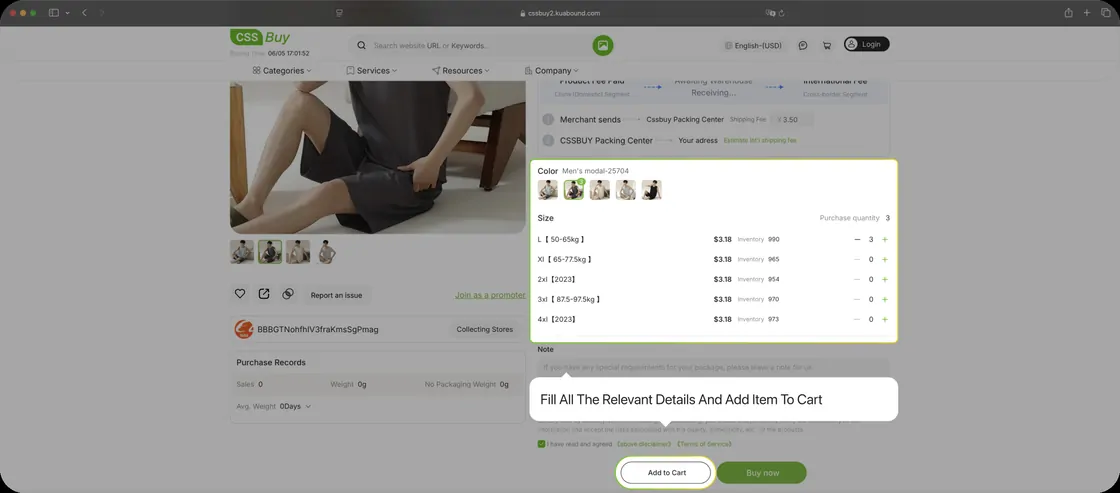
The handover is deliberately dull. You click an item in the catalogue, you land on the agent with that item loaded, you choose colour and size, and you pay. Three of those four steps happen on CSSBuy, which is the point: the catalogue's job ends the moment the link opens.
If the link opens something that does not match the card, believe the seller's page. It is the live one. Sellers change photos, swap batches and relist under new titles more often than any catalogue can track.
Go and read one
The fastest way to understand a catalogue is to open a category and scroll it for two minutes. Sneakers is the usual starting point.